On-device dictation for macOS
Your voice is the fastest way to type.
Thoughts move faster than fingers. You already know what to say. Bolo turns it into clean text, right where your cursor is, on your Mac.
Free, no account, no cloud. Hold the right ⌥, speak, release.

Reply and let them know we are on track for Friday.
Live, as you speak. It types where your cursor already is.
Modern work still runs on text.
Email, notes, a chat box, commit messages, a prompt box, the terminal. On your Mac, almost everything you do still starts with typing.
Thanks for the notes. I'll send the deck tonight.
Three things to fix before the demo.
On my way, five minutes out.
git commit -m "tidy the parser"
Summarize this thread in three points.
The case for shipping this week.
The bottleneck
The keyboard is where it slows down.
You type around forty words a minute. You speak closer to a hundred and fifty.
The bridge
So your voice becomes the bridge.
Speak, and it turns into clean text in real time, right where your cursor is.
Text, wherever you need it.
Mail, your editor, the terminal. If there is a text field, your voice can fill it.
Text is still the destination.
Bolo just makes getting there feel natural. It keeps the tally on your Mac, so the time you save is measured, not promised.
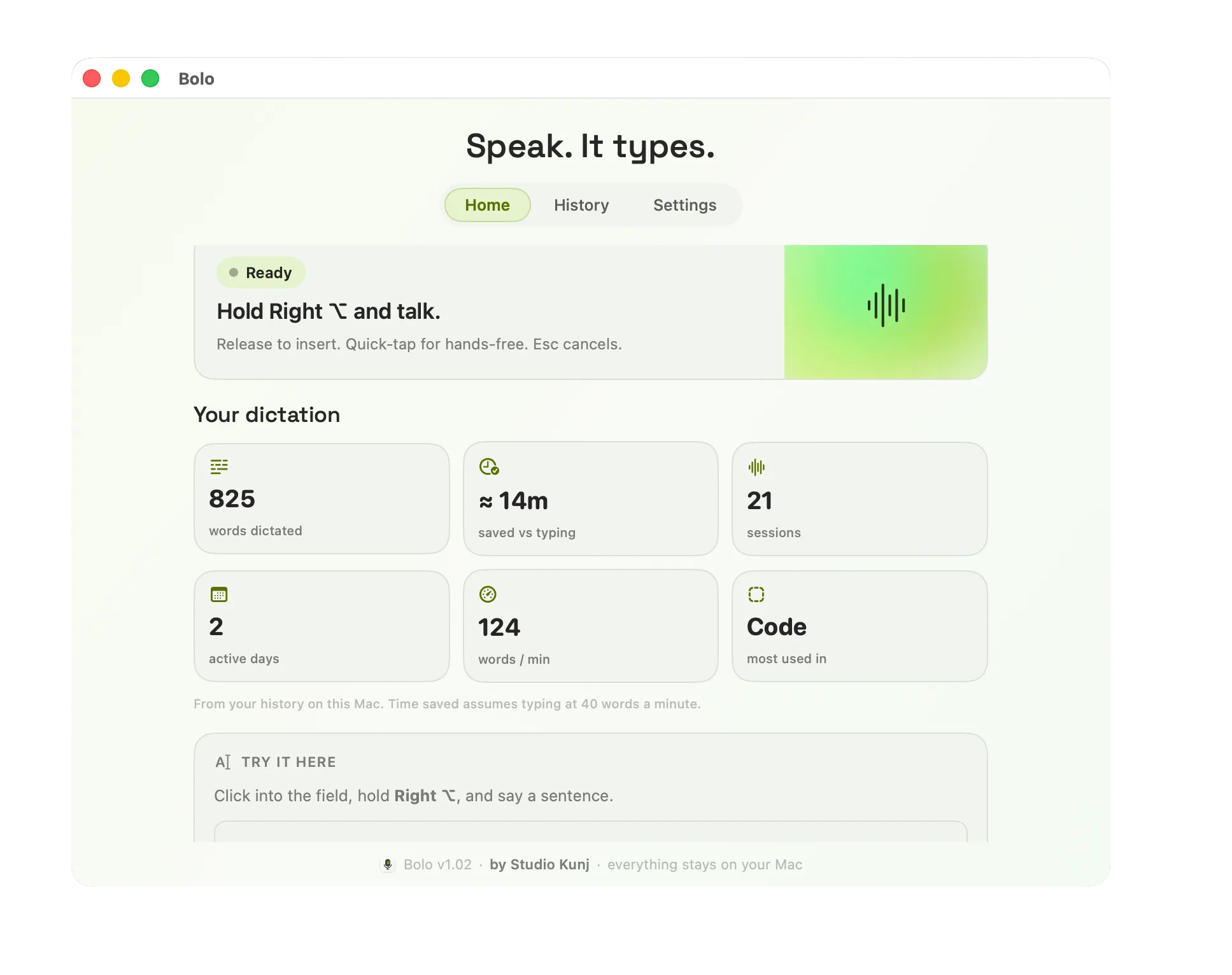
Real numbers from one Mac. 825 words, about fourteen minutes saved, 124 words a minute.
How it works
Four steps, and three of them you never notice.
No window, no panel. The text lands in the field you were already in, so you stay in your flow.
Speak
Hold your key and talk, the way you would to a person.
Convert
Your words become text on your Mac, as you speak.
Refine
Filler drops, punctuation lands, your names come out right.
Send or save
Already in your email, your editor, your terminal. Carry on.
What it does
It shapes what you said, without changing what you meant.
Speech is messy. You restart, you say um, you trail off. Bolo keeps your meaning and clears the rest, so the line reads like you wrote it, not like a recording of you thinking.
um so like, can you send him the uh the codecs file before, before Friday
Can you send him the Codex file before Friday?

When it mishears a name, you fix it once where it landed. Bolo remembers, so the word comes out right next time, in your editor and browser the same as in Mail. One click to undo. You stay the author.
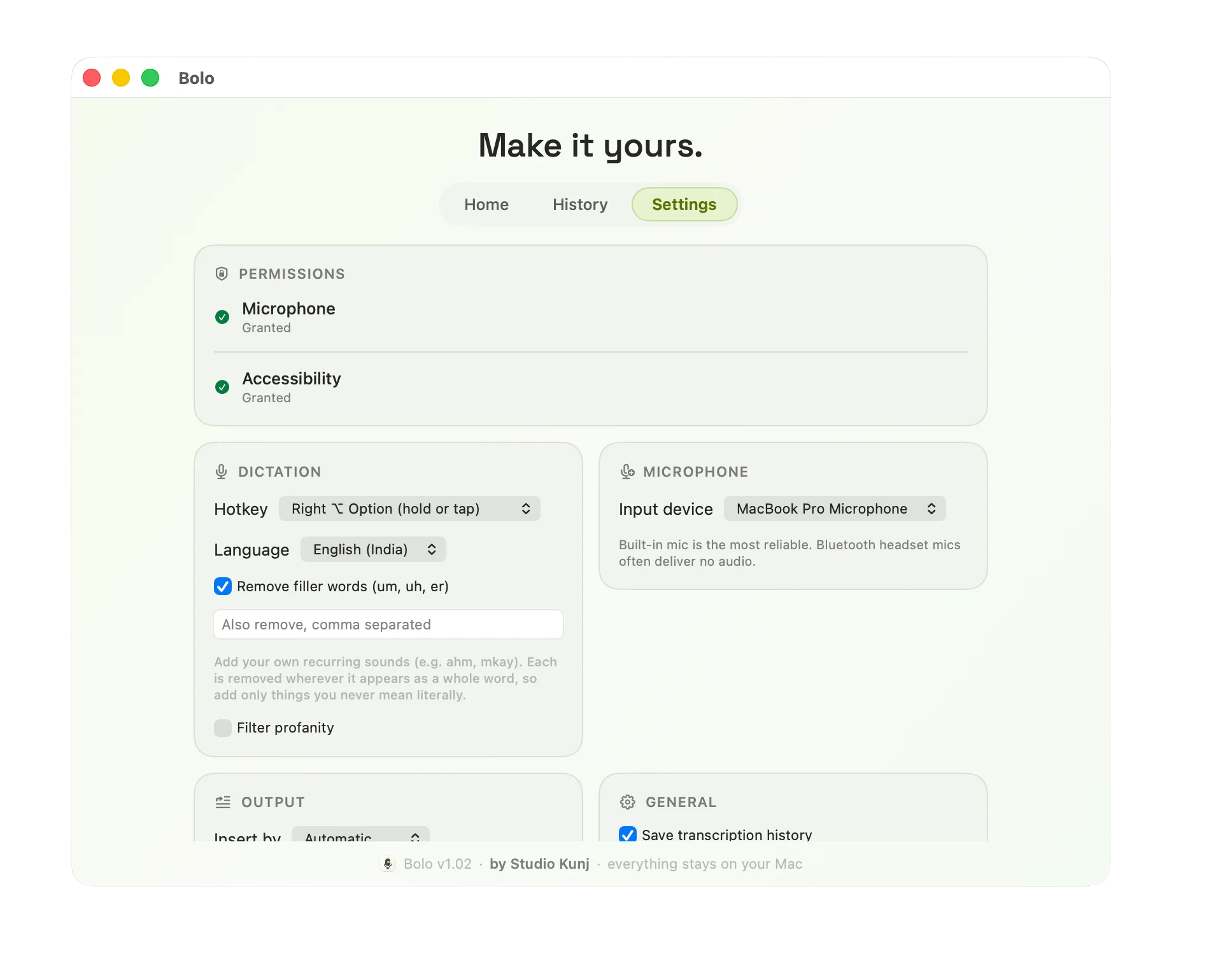
Make it yours: choose what it removes, add your own words, set the key you hold.
It runs on your Mac. Nothing leaves it.
Dictation hears everything you write, so where it runs matters. Bolo runs on your machine. Your voice is never sent anywhere, because there is nowhere for it to go.
On-device
The speech models run locally. No audio is uploaded, and your history stays on your Mac.
No account
No sign-up, no cloud, no subscription. Download it and start talking.
You stay in charge
It suggests, you decide. Every correction it learns is one click to undo.

Your voice is the fastest way to type.
Say it once, use it anywhere. Download Bolo, hold a key, and start talking.